


Ever wonder how some folks make such amazing videos without breaking a sweat? The trick is often AI video editing software. Video is king right now, and AI tech is a big help. By 2025, they say 80% of all internet traffic will be video. That's why AI video editing is changing how we make and watch videos. We'll look at some top AI video editing tools like Deepbrain AI's AI Studios, Wondershare Filmora, and Descript. Whether you're a pro or just starting, these tools can make editing smoother, boost your creativity, and help you create top-notch videos easily. Let's see how AI can change your video editing game!
Deepbrain AI - AI Studios
AI Video Editing Software Functionality
Deepbrain AI's AI Studios stands out in the competitive landscape of AI video editing software. Here's why:
- Text-to-Video Conversion: By leveraging deep learning and natural language processing (NLP), AI Studios transforms text into fully animated videos with lifelike AI avatars. This automation reduces the manual effort traditionally required in video editing.
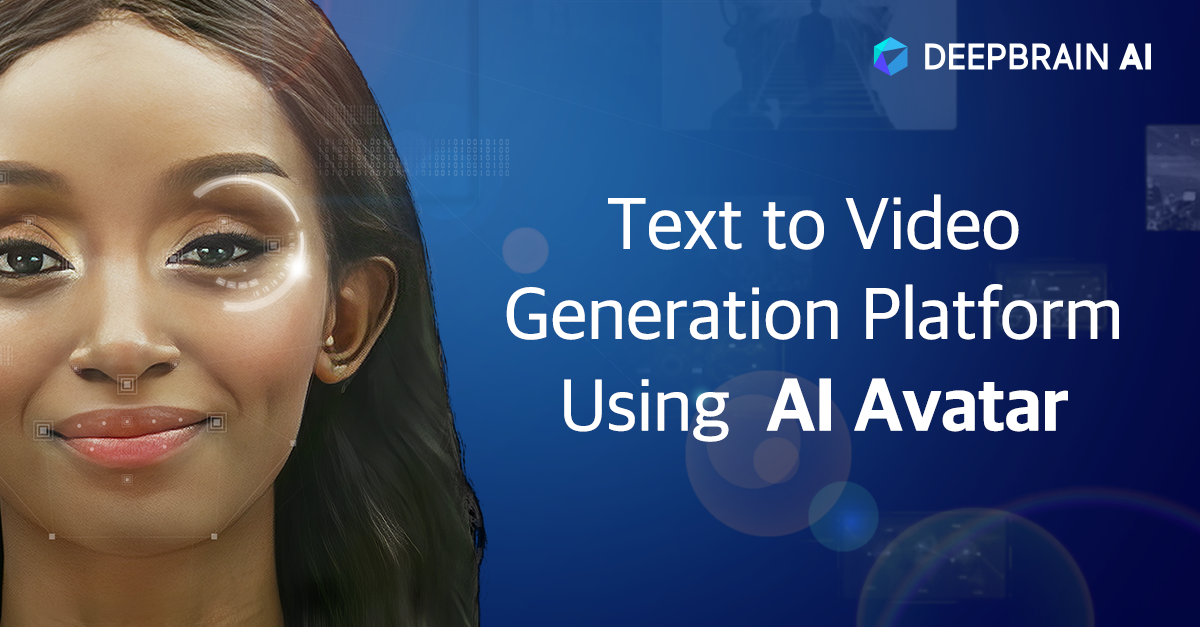
Automated Scene Detection: The software excels in identifying and segmenting scenes based on changes in the video, allowing you to efficiently edit specific parts without combing through hours of footage.
Smart Video Enhancement: AI Studios automatically adjusts lighting, color balance, and sharpness, enhancing video quality. It also includes advanced audio tools like noise reduction and audio-video synchronization.
Versatile Features: The platform supports text-to-video creation, multilingual voiceovers, and automatic subtitles. Users can choose from a variety of AI avatars or create custom ones using photos or webcam recordings. Additionally, it offers tools for dynamic effects and transitions, all accessible via a user-friendly interface.
Format Flexibility: AI Studios supports various video formats, providing flexibility for different project requirements.
User-Friendly Design in AI Video Editing Software
One of AI Studios' biggest advantages is its user-friendly design:
Intuitive Interface: The clean and straightforward layout ensures that even beginners can navigate video editing without feeling overwhelmed.
Drag-and-Drop Functionality: Easily add video clips, images, and audio to your projects with simple drag-and-drop actions.
Guided Workflows: These workflows assist users through common editing tasks, making the process smoother.
Templates and Presets: A variety of templates and presets cater to different video styles and genres, perfect for beginners aiming for polished results without deep editing knowledge. Advanced users can enjoy customization options to fine-tune every detail.
Real-Time Preview: Instantly see the effects of your edits, streamlining the editing process.
Collaborative Editing: Multiple users can work on the same project simultaneously, ideal for team environments.
Cost-Effective AI Video Editing Software
Deepbrain AI's AI Studios offers competitive pricing that appeals to both individual creators and businesses:
Subscription Model: Flexible plans cater to various needs, from basic for casual users to advanced for professionals and production companies.
All-in-One Platform: By consolidating a wide range of editing tools and features, AI Studios reduces the need for additional software, saving both money and time.
Production Cost Reduction: The platform's ability to replace actors, cameras, and studio setups makes it particularly cost-effective for businesses and educators.
Pricing Tiers: Starting with a free plan, AI Studios is accessible to everyone.
Regular Updates: Users benefit from ongoing enhancements and support, ensuring access to the latest AI video editing technology without extra costs.
Comprehensive Customer Support for AI Video Editing Software
Deepbrain AI prioritizes robust customer support to enhance user experience:
Online Help Center: Comprehensive documentation and tutorials cover everything from basic to advanced features, helping users maximize the software's potential.
Direct Support: Users can reach out to the support team via email or live chat, known for its quick and knowledgeable responses.
Webinars and Training: Regular sessions help users learn more about the software and stay updated on new features.
Community Forums: These platforms enable users to connect, share tips, and seek advice, fostering a collaborative support network.
Enterprise Support: Personalized assistance and a dedicated customer success manager ensure enterprise users receive the help needed for success.
Wondershare Filmora
AI Video Editing Features
Wondershare Filmora is a solid choice in AI video editing, offering tools that cater to both newbies and seasoned editors. It packs a punch with features like:
- AI Video Enhancer
- AI Video Denoise
- AI Color Palette
- AI Smart Search
- AI Portrait Cutout
These tools make editing smoother by reducing blur and noise while boosting color quality. For instance, with Filmora's AI Video Enhancer, you can turn a blurry, low-res video into a sharp 4K masterpiece, thanks to automated color correction and noise reduction.
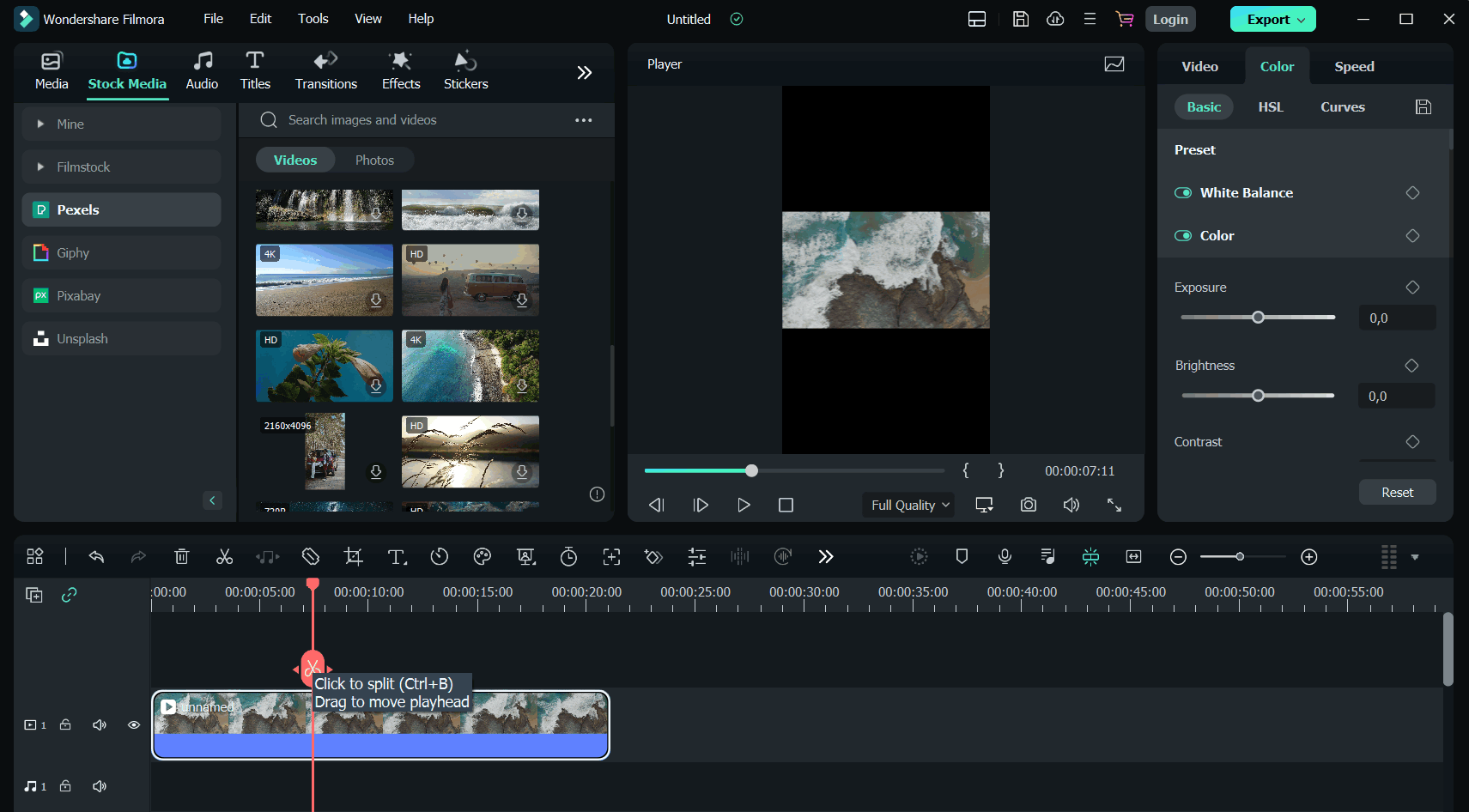
The software is user-friendly with a drag-and-drop interface, making it easy to import and arrange video clips, audio, and images. Plus, it offers a variety of pre-set templates and effects that can be applied with just one click to jazz up your project. Filmora 14 introduces pro features like:
- Multi-Camera Editing
- Planar Tracking
- Path Curve
- Magnetic Timeline
These features are great for tackling more complex projects.
Filmora’s AI features include creating videos from text scripts, AI text-based editing, AI-generated music, video translation with voice cloning, and smart cutout for quick background changes. Other handy tools such as Smart Scene Cut, AI Translation Lip-Sync, AI Face Mosaic, and AI Sound Effect help streamline your workflow by automating rough cuts, syncing dubbing, protecting privacy, and adding sound effects.
It supports multi-track editing, allowing you to layer video and audio tracks for more intricate projects. This is perfect for picture-in-picture effects or adding sound effects and music. With its color grading tools, you can tweak the hue, saturation, and brightness of your footage for a polished finish.
User-Friendly Interface
Wondershare Filmora is known for its ease of use, making it a hit with both beginners and experienced editors. Its interface is designed to be simple, with clearly labeled tools and easy navigation. New users can benefit from tutorials and guides within the software, offering step-by-step instructions on using different features. Content creators like Kevin Stratvert demonstrate how easy it is to learn Filmora and use its AI tools to create polished videos for platforms like YouTube, TikTok, and Instagram.
Filmora maintains simplicity without skimping on features, balancing ease of use with powerful editing tools. You can quickly perform basic edits like trimming, splitting, and merging clips, but also dive into advanced tools like keyframing and green screen effects. This flexibility allows you to grow your skills over time, exploring more complex editing as you become more comfortable.
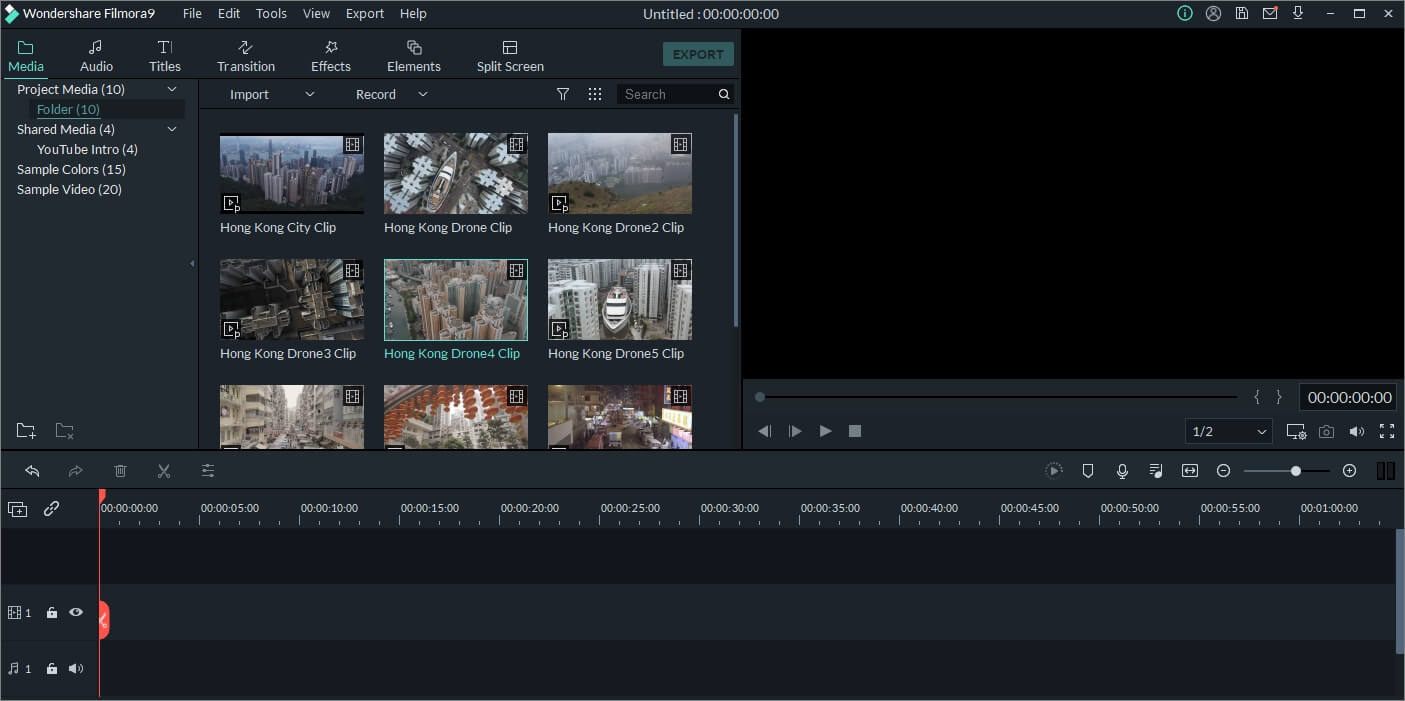
The drag-and-drop feature extends beyond basic editing, allowing you to easily add transitions, filters, and overlays. This reduces the time and effort needed to create polished videos, making Filmora a smart choice for content creators on tight schedules.
Affordable Pricing Options
Wondershare Filmora is priced competitively, making it a good option for both video editing enthusiasts and professionals. You can choose between a subscription or a one-time purchase, depending on your budget and needs. The subscription includes regular updates and the latest features, ensuring you're always up to date.
If you prefer a one-time purchase, Filmora offers a perpetual license for lifetime access with a single payment. This is ideal for users who don't need constant updates or are on a budget. Despite being affordable, Filmora delivers a feature-rich experience that can compete with pricier options.
Wondershare often provides discounts and promotions, adding to Filmora's cost-effectiveness. You can also try it for free to see if it's right for you before buying. However, be aware that some users have reported issues with unexpected charges during free trials and a strict no-refund policy, which might affect how cost-effective it feels.
Comprehensive Customer Support
Wondershare Filmora offers various customer support options to assist users when they encounter issues. Feedback on their support is mixed, with some users expressing dissatisfaction with responsiveness and issue resolution. Common complaints include misleading auto-renewals, unexpected charges, and a strict no-refund policy, which have frustrated some customers.
Even with these issues, Filmora provides plenty of online resources like tutorials, guides, and a community forum to help users learn and troubleshoot independently. While direct support might have its limits, you can access detailed tutorial videos and community forums to solve common problems and learn advanced techniques. This community-driven approach encourages users to explore and expand their editing skills.
Descript: Leading AI Video Editing Software
Descript's Innovative Features
AI video editing tools like Descript are revolutionizing how creators make videos. With Descript, you can edit video and audio simply by tweaking the transcript. Delete a sentence in the text, and the video clip goes with it. This makes editing faster and easier, especially for those who need to produce quality content quickly.
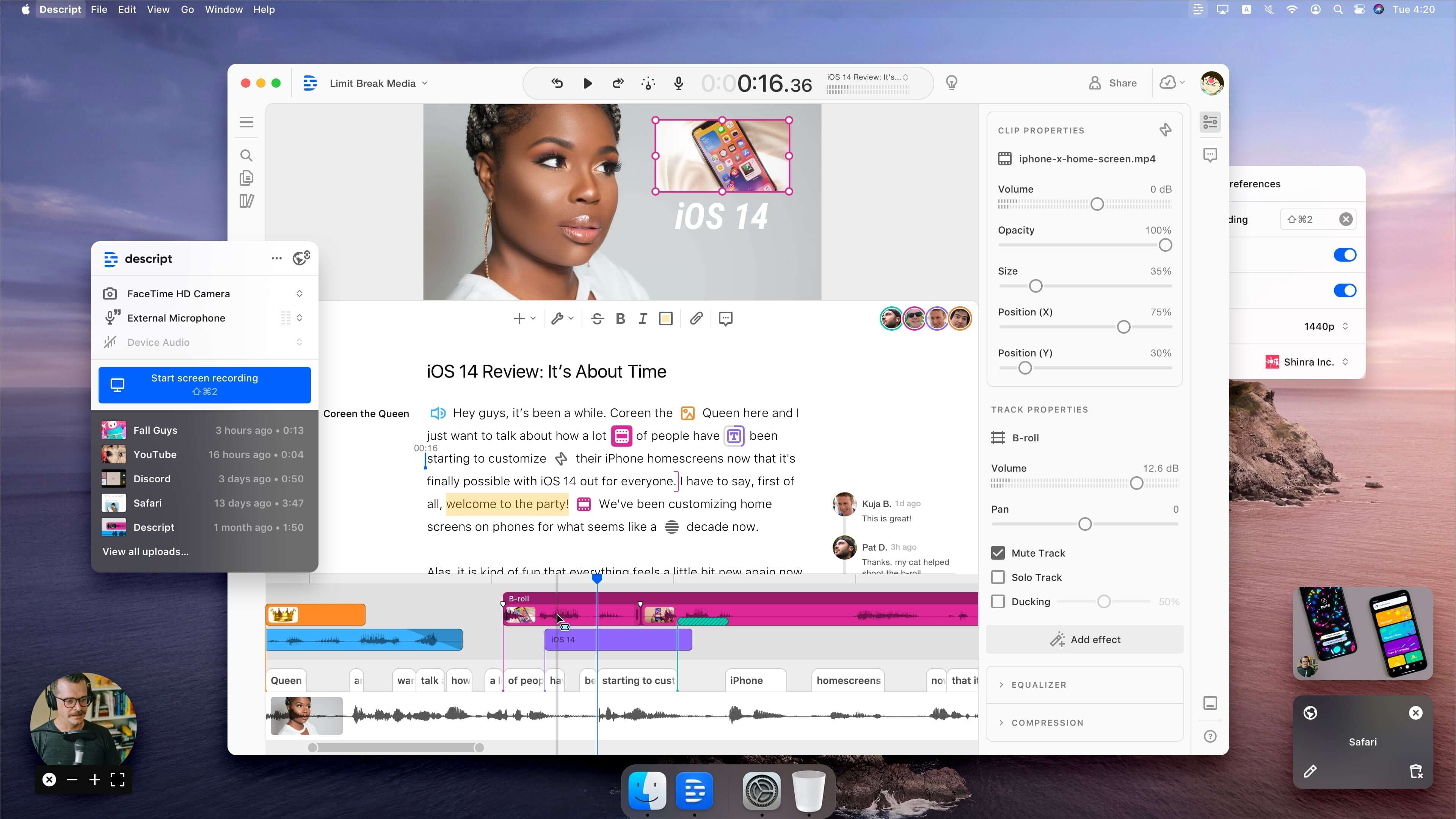
Descript offers a suite of AI features, including:
- Automatic transcription
- Removing filler words
- Voice cloning (Overdub)
- Audio enhancement with Studio Sound
These tools ensure your videos look and sound professional, even if you're not an editing expert. Plus, Descript provides:
- Multi-track editing
- Screen recording
- AI green screen
- AI eye contact tweaks
- Automatic multicam for handling multiple camera feeds
This means you can create lively and engaging videos without doing everything manually.
User-Friendly AI Video Editing
One of the standout features of Descript is its user-friendly interface, especially if you're familiar with word processors. Its text-based editing is straightforward and perfect for beginners. Simply upload a video, let it transcribe, and start editing with simple keyboard shortcuts. This keeps the process smooth and allows you to focus on creativity.
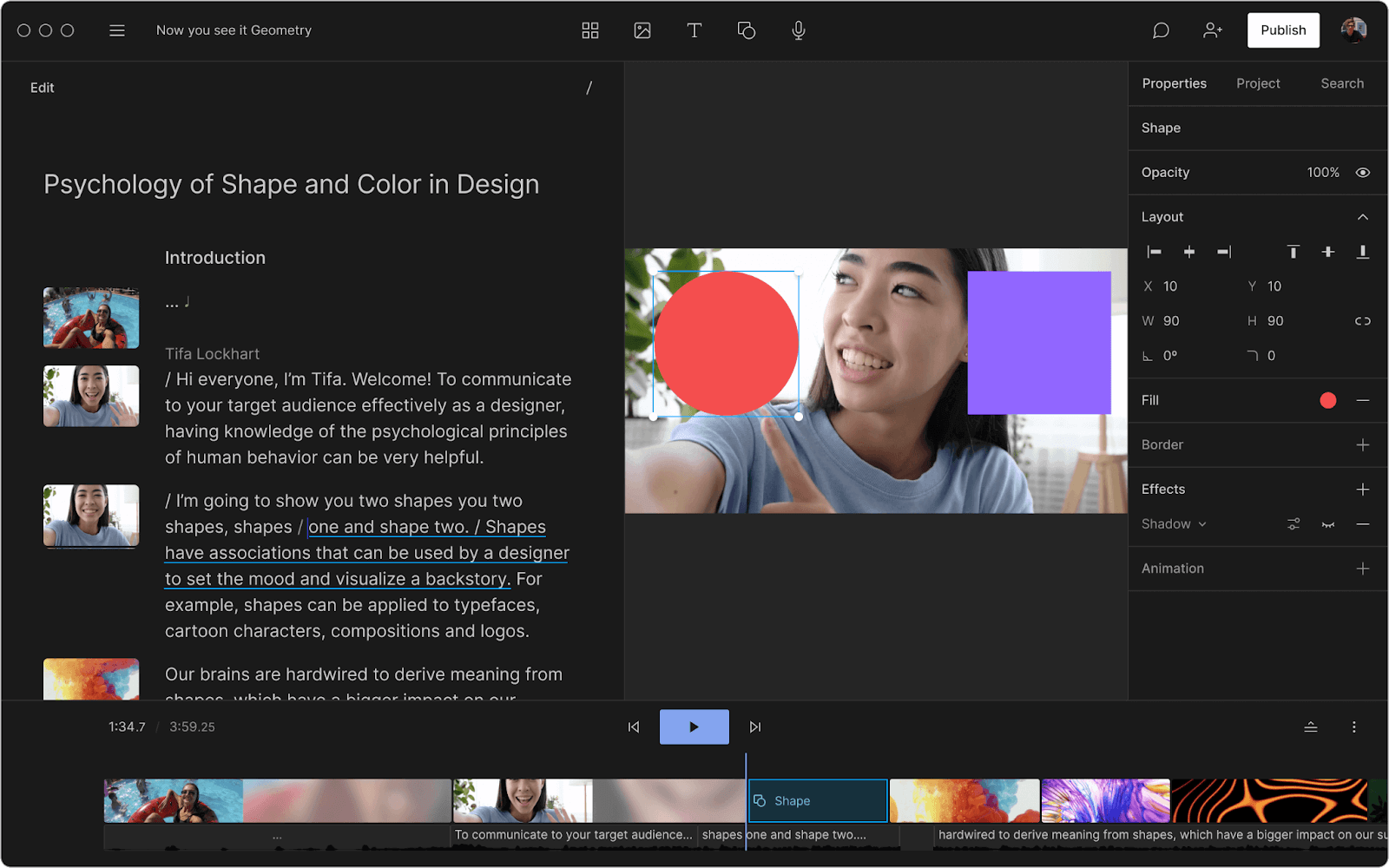
For those who prefer traditional editing, Descript offers a timeline view. However, the primary focus is on editing the transcript. It's available on macOS, Windows, and the web, providing users the flexibility to work on various platforms. It's an invaluable tool for anyone looking to enhance their video production skills.
Cost-Effective AI Video Editing Solutions
Descript is budget-friendly for individuals and businesses seeking AI-powered video editing. There's a free plan with basic features like transcription, editing, and screen recording, though it limits exports. For more advanced needs, paid plans start at $16/month (billed annually) for hobbyists. This plan includes:
- More transcription hours
- AI speech minutes
- Watermark-free exports
The Creator plan at $24/month (billed annually) adds even more features, making it ideal for podcasters, educators, and marketers who want efficient editing without breaking the bank.
Comprehensive Customer Support for Descript Users
Descript provides robust customer support to back up its software. The help center is filled with articles, guides, and FAQs to assist users. Additionally, there are community forums and direct support for more personalized help.
They keep users informed about new features and updates through regular changelogs. This proactive support approach ensures you get the most out of Descript and can tackle any issues you might face. By focusing on customer support, Descript ensures a smooth editing experience.
For more information, check out these resources:
FAQ
Best AI Video Editing Software for Beginners
If you're new to video editing, you want something easy to use. Among the many AI video editors out there, Aeon AI is a great pick for beginners. It's designed to be user-friendly and lets you make high-quality content fast.
Another good choice is Captions' AI Video Editor. It simplifies editing with easy templates and automated features, perfect if you don't have much editing experience.
Wondershare Filmora is another standout for newcomers. Its simple interface and easy navigation make it perfect for those just starting. Filmora offers cool AI features like:
- Automatic scene detection
- Motion tracking
- Audio ducking
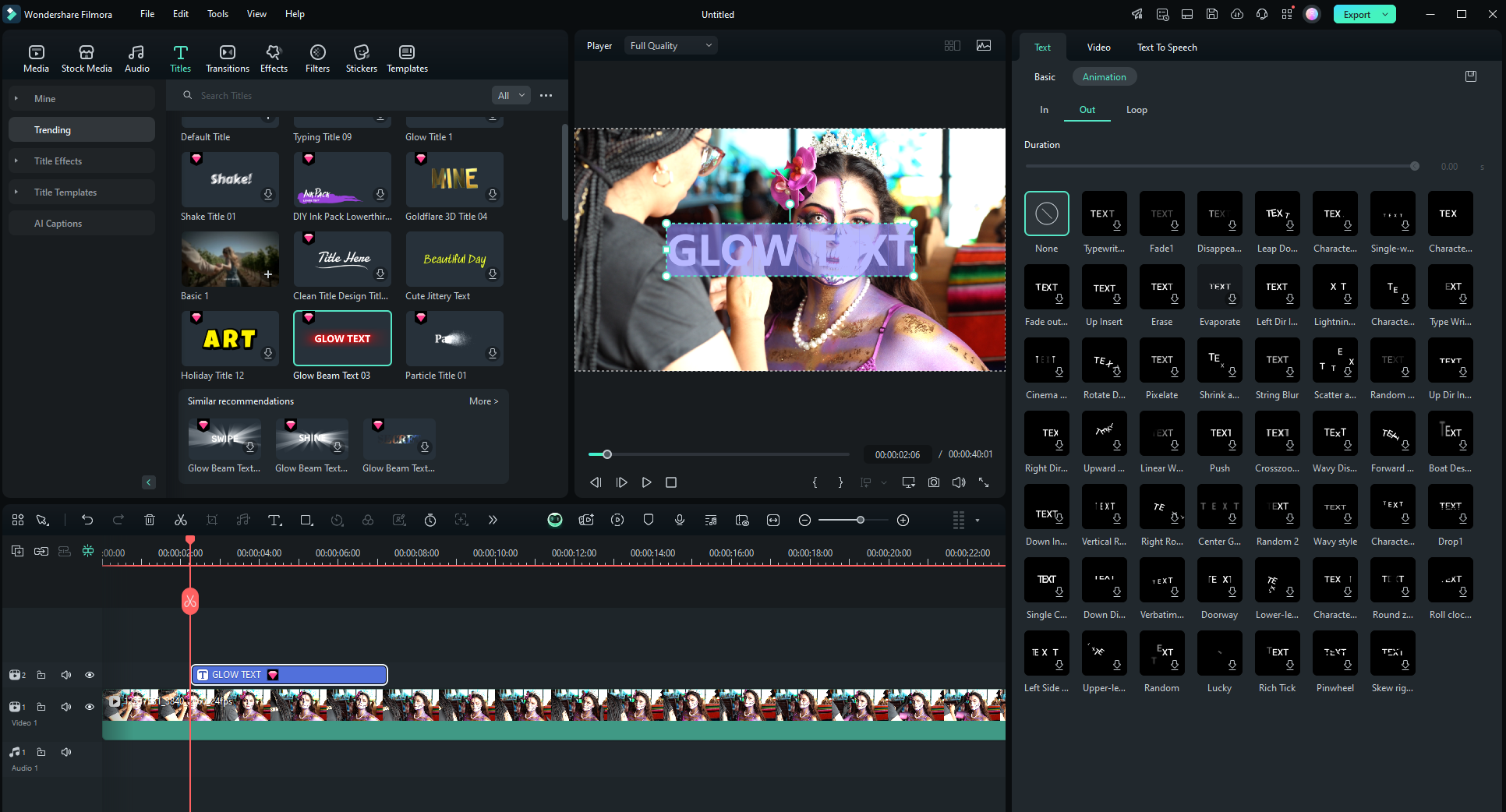
These features really help make editing easier. Plus, its drag-and-drop feature lets you try things out without getting lost.
Filmora also has a ton of tutorials and resources, so you’ll have plenty of help as you learn. It's affordable, too, giving you a budget-friendly option without skimping on features.
While other beginner-friendly editors like iMovie or Movavi are out there, Filmora’s mix of advanced AI features and easy design makes it a top choice for beginners.
Wondershare Filmora vs Adobe Premiere Pro: Which AI Video Editor to Choose?
Wondershare Filmora and Adobe Premiere Pro cater to different users. Filmora is aimed at beginners and intermediate users. It's simple and easy to use, perfect if you're new to video editing.
Adobe Premiere Pro, on the other hand, is for the pros. It's packed with advanced tools like color grading and multi-camera editing, and it works seamlessly with other Adobe products.
Key Differences:
- Filmora: Basic tools and some AI features, affordable, user-friendly.
- Premiere Pro: More power and flexibility, handles more file formats and resolutions, more complex and costly.
If you want pro-level editing and can handle detailed projects, Premiere Pro is the way to go. But if you want something affordable and easy to use, Filmora is a better fit.
Runway vs Descript: Comparing AI Video Editing Software
Runway and Descript are both cool AI video editing tools, but they do different things.
Runway is all about giving creators cutting-edge AI tools for visual effects and editing. It has features like:
- Green screen effects
- Object removal
- Motion tracking

These are all powered by AI. It's popular with creators who want to experiment with AI-driven effects and push traditional editing limits.
Descript, however, is known for its text-based editing. It transcribes video and audio files, so you can edit them like a document. This is great for:
- Podcasters
- Journalists
- Anyone focusing on narrative content
Descript also offers AI tools like automatic transcription and voice cloning, making it versatile for both audio and video editing.
In short, Runway is great for those interested in advanced visual effects and AI-driven video tricks. Descript is perfect if you need an easy way to edit dialogue-heavy content with text-based editing. Each tool has its own strengths, so it really depends on what you need for your project.
| Feature/Aspect | Deepbrain AI - AI Studios | Wondershare Filmora | Descript |
|---|---|---|---|
| Text-to-Video Conversion | Yes | No | No |
| AI Video Enhancer | Yes | Yes | Yes |
| Scene Detection | Automated | Automatic | No |
| User Interface | Intuitive, Drag-and-Drop | Simple, Drag-and-Drop | Text-based, Word Processor-like |
| Pricing Model | Subscription | Subscription/One-time | Subscription |
| Free Plan | Yes | Yes (Trial) | Yes |
| Advanced Features | Multilingual voiceovers, Custom AI avatars | Multi-Camera Editing, Path Curve | Automatic transcription, Voice cloning |
| Customer Support | Online Help Center, Direct Support | Mixed feedback, Community forums | Help Center, Direct Support |
| Ideal For | Businesses, Educators | Beginners, Intermediate | Podcasters, Journalists |





