


Video content is everywhere, and it's more important than ever. Whether you're a pro filmmaker or just starting out, having the right tools is key. Did you know that 85% of businesses use video for marketing? That shows just how crucial video is becoming. AI video editing software is changing how we create and edit videos. In this article, we'll check out some top AI video editing software, like Deepbrain AI's AI Studios, Wondershare Filmora, and Adobe Premiere Pro. Each one has features that can really boost your editing skills. So, if you want to make editing easier or add some AI flair to your work, you're in the right spot. Let's look at what's next for video editing.
Deepbrain AI - AI Studios
AI Video Edit Functionality
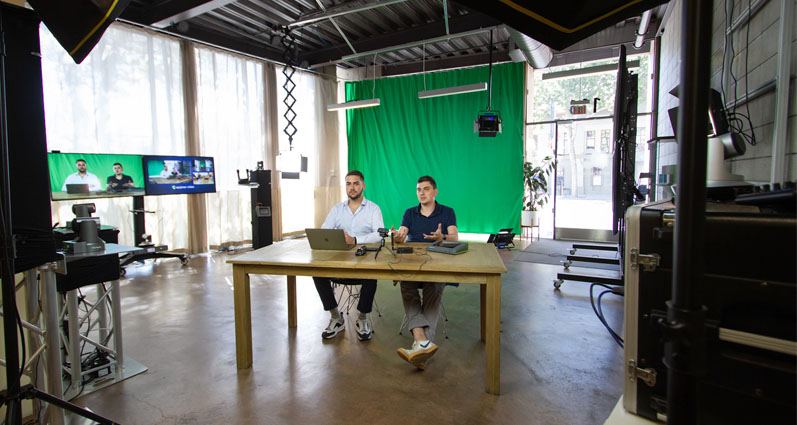
AI Studios by DeepBrain AI is a platform that leverages deep learning and natural language processing to transform text into animated videos. At its core, it creates realistic AI avatars to give a human feel to digital content. You can customize these videos by selecting different styles, backgrounds, and effects to align with your brand or message. This flexibility enhances audience engagement and communication.
Key features include:
- AI dubbing for seamless voiceovers
- Team collaboration tools for efficient multi-user workflows
- Customizable avatars to ensure brand consistency
These features make AI Studios a valuable tool for businesses and creators aiming to produce professional videos effortlessly.
User-Friendly AI Video Editing
AI Studios is designed to simplify video production, eliminating the need for actors, cameras, or studio setups. The user-friendly interface allows you to input scripts and choose from a diverse range of AI-generated avatars. With the integration of ChatGPT technology, the platform automates much of the process, making video creation smoother and more accessible.
The straightforward design ensures that even non-tech-savvy users can navigate with ease. The clean interface guides you through each step, enabling you to focus on creativity without technical distractions.
Cost-Effective AI Video Solutions
AI Studios offers a cost-effective solution for video production by removing the need for expensive setups, actors, or studios, significantly reducing traditional video production costs. Its scalability allows businesses to produce multiple videos quickly and affordably.
Pricing plans start at $15 a month for basic use, with customizable options for larger needs. This flexible pricing structure ensures that businesses of all sizes can find a plan that fits their budget. By automating time-consuming tasks, AI Studios saves both time and money, providing a better return on investment.
Comprehensive Customer Support for AI Video Edit
AI Studios provides robust customer support to maximize the platform's potential. Enterprise clients benefit from personalized support, including a dedicated customer success manager to guide effective platform use. Enhanced support and security features include real-time conversational avatars and deepfake detection.
The platform supports API integration, enabling seamless connections with other tools and platforms. This flexibility allows you to tailor the platform to specific needs, adding further value.

In summary, AI Studios by DeepBrain AI offers a comprehensive video production solution with advanced features, ease of use, affordability, and reliable customer support. By harnessing AI technology, it enables the creation of high-quality, engaging videos efficiently and affordably. With scalable pricing and personalized support, AI Studios is an excellent choice for businesses and creators looking to enhance their digital content with innovative AI-driven tools.
Explore more about AI Studios by DeepBrain AI and its transformative approach to video production. Its user-friendly interface and affordable pricing make it accessible to everyone, while dedicated support ensures smooth integration and use.
Wondershare Filmora
AI Video Editing Features
Wondershare Filmora is a standout in AI video editing, packed with tools to make editing easier and boost video quality. It offers innovative features like:
- AI Video Enhancer: Elevates low-quality footage to 4K.
- AI Translation Lip-Sync: Matches dubbed voices to mouth movements for seamless viewing.
- AI Denoise, AI Color Palette, AI Smart Search, and AI Portrait Cutout: Facilitate the creation of professional-level videos with minimal effort.
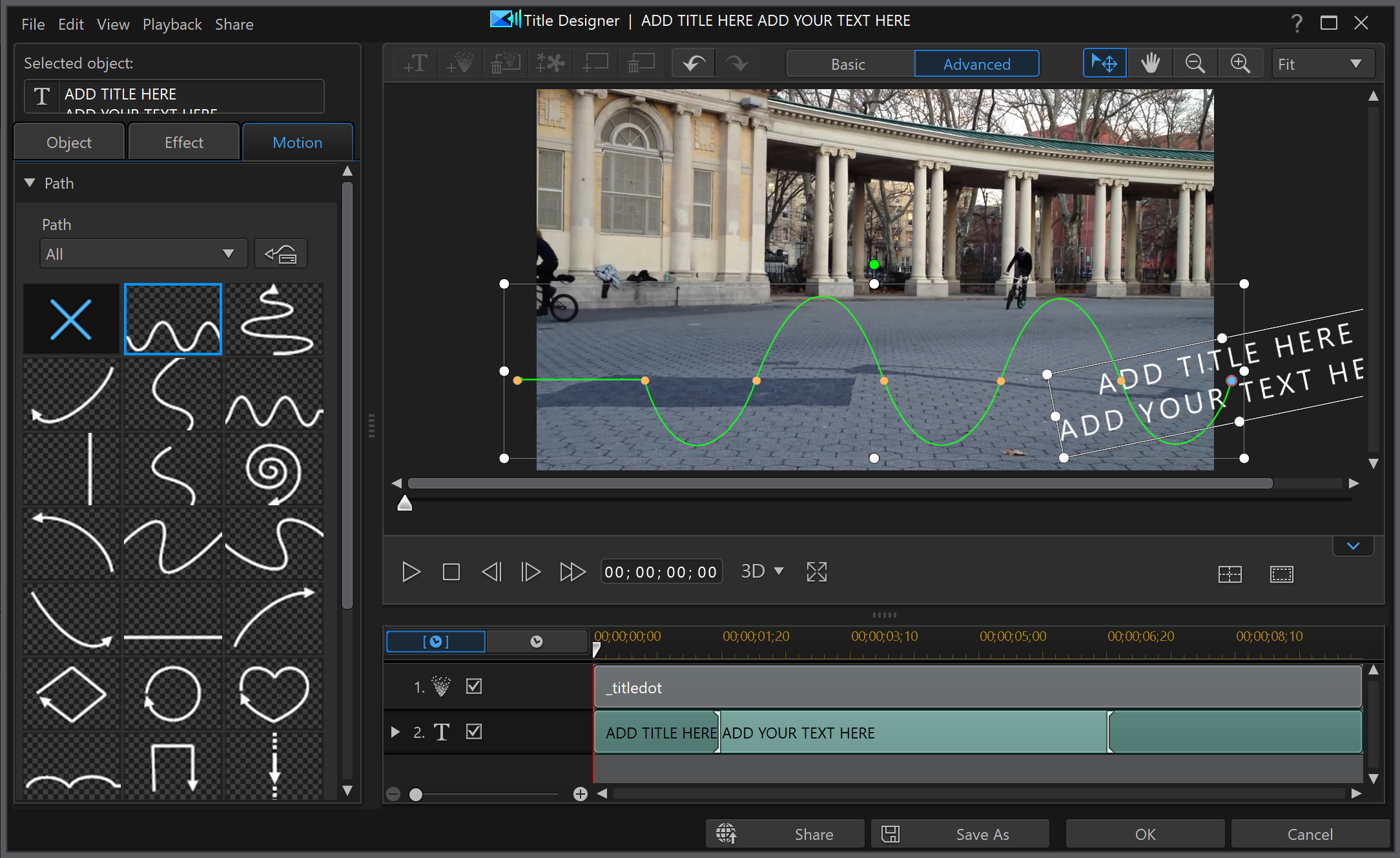
Filmora simplifies complex editing tasks with features such as AI Idea to Video, Text-to-Speech, Voice Cloning, and AI Face Mosaic. These tools enhance creativity while reducing manual labor. Additionally, Filmora supports:
- Multi-camera editing
- Planar tracking
- Magnetic timeline
- Keyframe path curves
This makes it a robust choice for both novices and seasoned editors.
User-Friendly AI Video Editing
Filmora emphasizes user-friendliness, allowing anyone to dive into video editing regardless of their skill level. The interface is intuitive, enabling users to:
- Rotate, merge, trim, crop, and add effects effortlessly
- Utilize smart scene cut, AI auto cut, and text-based editing for time-saving convenience
With ready-made templates, drag-and-drop features, and one-click AI enhancements, creating professional-looking videos is quick and easy. Users can also:
- Generate videos from text prompts
- Incorporate AI-generated music
- Use dynamic captions without needing expertise
Affordable AI Video Editing Solutions
Filmora's pricing is budget-friendly, making its AI features accessible to everyone. You can acquire AI credits for as low as $0.0028 each, allowing you to utilize powerful tools without breaking the bank. The yearly plans include:
- A vast library of stock media
- Royalty-free music and sound effects
- Cloud storage
A free trial is available, enabling you to explore the AI features before committing. The yearly plan offers:
- 2,000 AI credits per month
- 100GB of cloud storage
- Video exports without a watermark
This makes Filmora an attractive option for both amateur and professional editors.
Comprehensive AI Video Editing Support
Filmora excels in customer support, ensuring assistance is available when needed. It provides numerous online resources, including:
- Tutorials
- FAQs
- User guides
These resources help users get started and resolve common issues. The website and app offer in-app support and community forums for peer assistance, fostering a collaborative environment where users can exchange ideas and solutions.
Premium users benefit from support via email and live chat for quick resolution of technical problems. This is crucial for those needing guidance on editing techniques. Filmora's strong user community encourages editors to share tips, ask questions, and collaborate. By building this community, Filmora not only delivers excellent support but also inspires creativity among its users.
In summary, Wondershare Filmora is a powerful, easy-to-use AI video editing software with numerous features to enhance video quality and streamline editing. With flexible pricing and robust support, it's an excellent choice for both new and experienced editors seeking a comprehensive, cost-effective solution.
Adobe Premiere Pro: A Leading AI Video Edit Software
Advanced AI Video Editing Features
Adobe Premiere Pro is packed with features, making it a solid choice for both beginners and seasoned video editors. One standout tool is the AI-powered Firefly Generative Extend. This feature allows you to sneak in extra 4K frames, adding up to 2 seconds to video clips and up to 10 seconds to audio clips. It helps fill gaps and smooth out transitions, giving your edits a more polished feel. Plus, it operates quietly in the background, so you can continue editing without interruption.
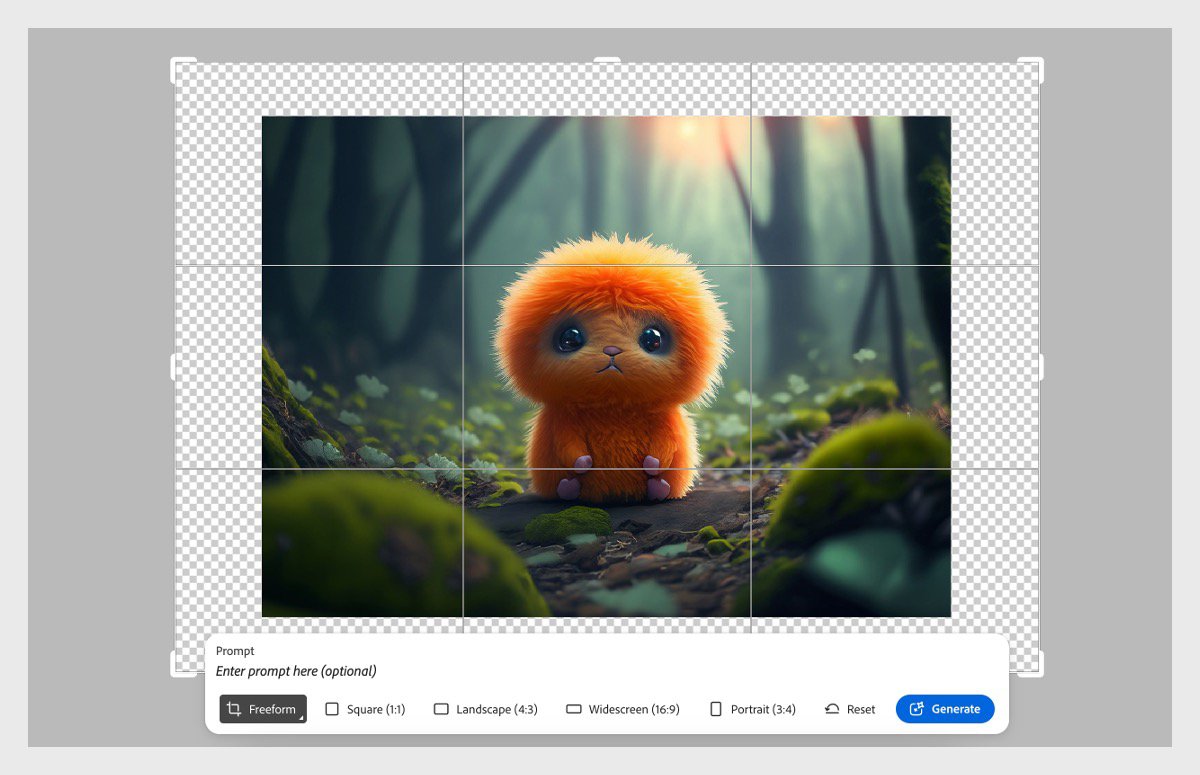
Another handy AI tool is Media Intelligence, which helps you find specific clips in vast amounts of footage quickly, saving you loads of time. Adobe Premiere Pro also includes AI Caption Translation, capable of converting captions into over 27 languages, facilitating global audience reach without leaving the app. The Premiere Color Management tool uses AI to convert raw footage into SDR or HDR upon import, making color grading a breeze and keeping your colors sharp.
Additional AI tools include:
- Smart Masking and Tracking
- Object Addition and Removal for tweaking moving objects
- Scene Edit Detection for automatic scene cuts
- Generative B-Roll for AI-generated stock footage
With text-based editing, you can edit videos by tweaking transcripts, cutting filler words and silences, and creating closed captions. The AI-powered Enhance Speech feature boosts audio quality by eliminating noise and echo, making everything clearer.
User-Friendly AI Video Editing Experience
Despite its robust feature set, Adobe Premiere Pro is designed to be user-friendly. The Generative Extend tool works seamlessly in the background while you edit. AI-generated frames are clearly marked, and you can easily change them or revert to the original with a right-click. This smooth integration, along with drag-and-drop color management and accessible properties panels, reduces mouse movement and makes tools easy to reach.
Scene Edit Detection automates the process of cutting scenes in finished videos by analyzing and adding cut points, saving you from manual work. AI Caption Translation and transcript-based editing allow you to create and tweak captions and subtitles directly within the app, eliminating the need for extra tools. The Enhance Speech tool is easy to find in the Essential Sound tab, with simple controls to boost audio quality effortlessly.
Cost-Effective AI Video Editing Solutions
Adobe Premiere Pro’s AI features are included with the subscription, so you get tools like Generative Extend, AI Caption Translation, and Media Intelligence without additional costs. By automating tasks like scene detection, captioning, and color management, these AI tools reduce editing time and labor costs, boosting productivity. Faster export speeds and GPU-accelerated format support also save money by minimizing rendering and playback delays.
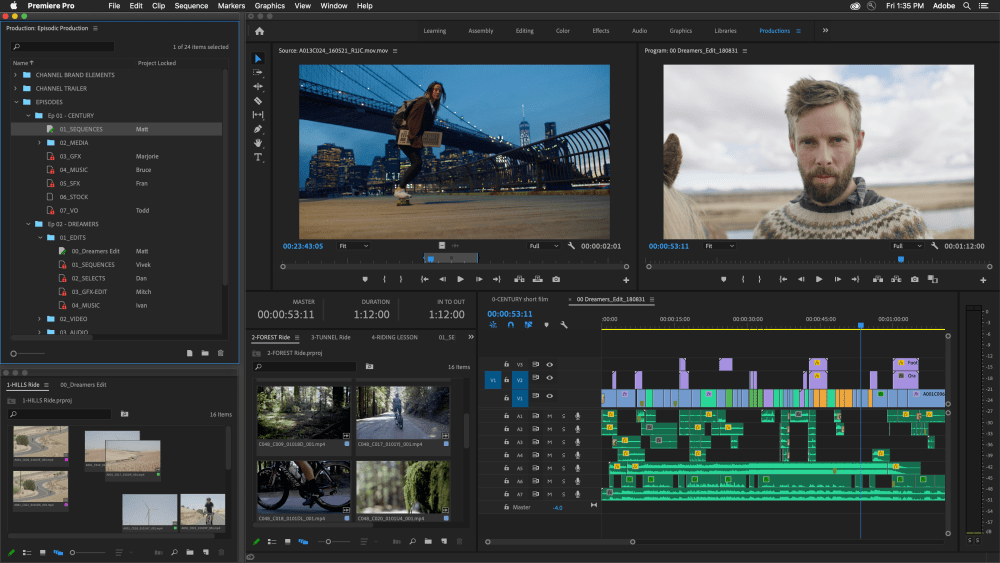
This subscription model ensures you stay up to date with the latest features, making it worthwhile for frequent video editors. Adobe offers various plans for individuals, businesses, and educational purposes, along with bundles that include other Creative Cloud apps, providing flexibility to choose a plan that fits your budget and needs.
Comprehensive Customer Support for AI Video Editing
Adobe provides a robust support system for Premiere Pro users, helping you resolve issues and maintain smooth workflows. There are detailed guides and tutorials for AI features like Generative Extend, complete with step-by-step instructions and troubleshooting tips. Adobe’s blog and news updates keep you informed about new AI features and best practices.
Community forums and Adobe support channels are available if you encounter issues with AI tools or need workflow advice. If you have trouble with AI-generated frames, Adobe’s online help or forums can offer tips on using Generative Extend. For more complex problems, Adobe offers personalized support through Expert Services, available with certain subscription plans, providing one-on-one assistance from professionals who can guide you through challenges or help optimize your workflow.
Overall, Adobe's commitment to customer support ensures Premiere Pro users have the resources they need to maximize the software's potential and tackle any editing challenges.
Adobe Premiere Pro AI Features
Premiere Pro Generative Extend
FAQ
Best AI Video Editor for Beginners
If you're just starting with AI video editing, picking the right tool can make all the difference. Descript is a top pick for beginners because of its easy-to-use, text-based editing. You just tweak the transcribed text to edit your video, which is super user-friendly. This makes it easy for anyone to create polished videos without needing to be a tech whiz. Descript Blog
For Mac users, iMovie is another great option. Since it's already on your Mac, you can dive right into simple drag-and-drop editing, trimming, and adding basic effects. It's perfect for those who want to get a feel for video editing without getting bogged down in complexity. Descript Blog
If you prefer editing on your phone, check out KineMaster. It's got touch-based controls that make quick edits a breeze. This app is ideal for beginners who want to create and edit videos straight from their smartphones. Descript Blog
Wondershare Filmora vs. Other AI Video Editors
Wondershare Filmora is a solid choice if you're looking for a mix of ease and features. It's great for both beginners and those with a bit more experience. Filmora has loads of effects, transitions, and overlays to jazz up your videos without needing expert skills. Atlassian Blog
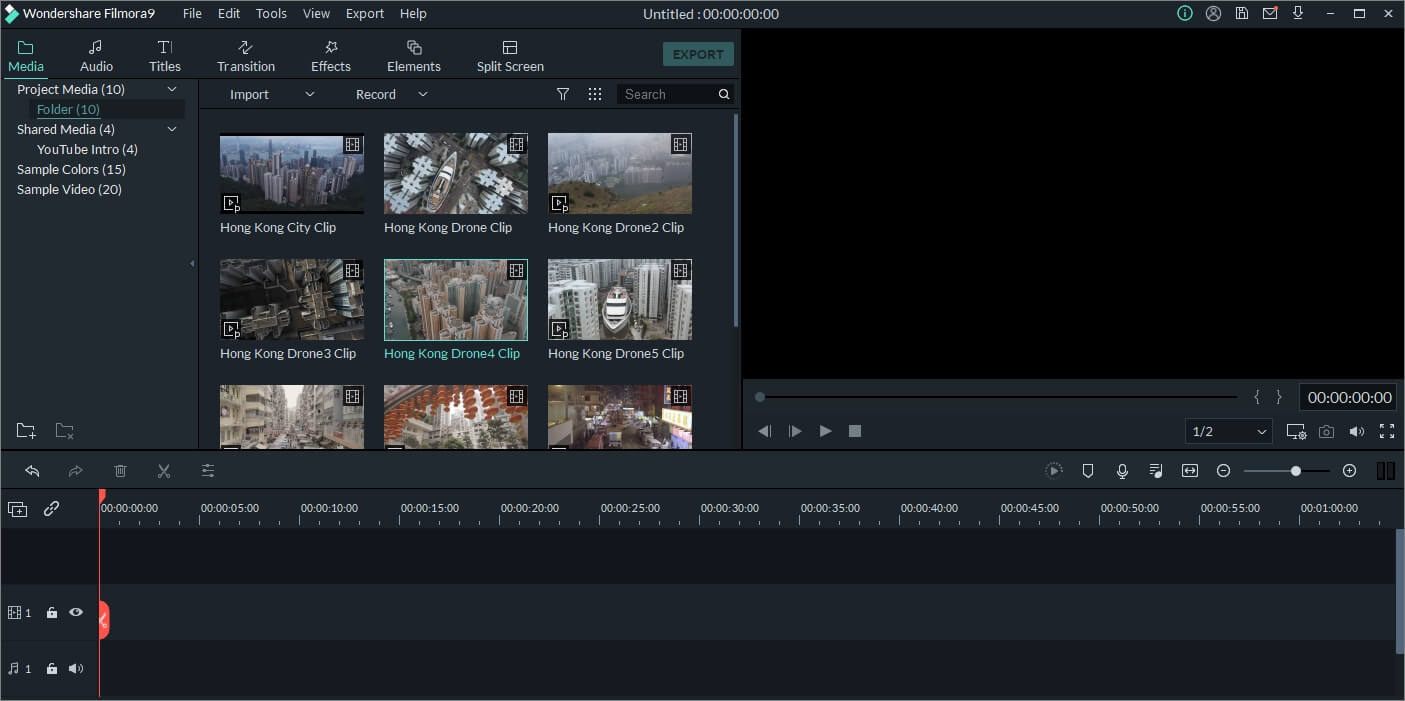
Filmora includes AI tools like scene detection, auto-reframe, and audio enhancement, making editing simpler. But it might not have all the advanced AI features you’d find in pro tools like Adobe Premiere Pro or DaVinci Resolve. Compared to editors like Descript or Loom, Filmora sticks to more traditional editing but uses AI for things like color correction and noise reduction. Descript Blog
Filmora is a well-rounded editor with AI perks, though it might not have the cutting-edge AI or text-based editing of some rivals. Still, its affordable pricing and various plans make it a great pick if you want powerful editing without breaking the bank. Atlassian Blog
Can AI Video Editors Produce High-Quality Animations?
AI video editors have come a long way in automating animation tasks like motion tracking and object removal. However, they still fall short when it comes to crafting complex, custom animations from scratch. Tools like Adobe Premiere Pro and DaVinci Resolve offer AI features that enhance animations but aren't built for full-on animation production.

While AI editors are great for handling repetitive or technical animation tasks, they can't replace dedicated animation software or the creative touch of a human. Creating unique, high-quality animations still needs human creativity and specialized tools. CYME Blog So, while AI can help streamline some animation processes, the artistic vision is still key to making compelling animated content. Editors Keys Blog
| Feature/Aspect | Deepbrain AI - AI Studios | Wondershare Filmora | Adobe Premiere Pro |
|---|---|---|---|
| Core Functionality | Text to animated videos with AI avatars | AI-driven video editing | Advanced AI video editing |
| Key Features | AI dubbing, customizable avatars, team tools | AI Video Enhancer, AI Lip-Sync, multi-camera editing | AI Firefly Generative Extend, Media Intelligence |
| User Experience | User-friendly, script input, AI avatars | Intuitive interface, ready-made templates | Seamless integration, text-based editing |
| Cost-Effectiveness | Starts at $15/month, scalable | AI credits as low as $0.0028, free trial | Subscription includes AI features |
| Customer Support | Personalized support, API integration | Tutorials, FAQs, community forums | Guides, tutorials, community forums |
| Ideal For | Businesses & creators for professional videos | Beginners to experienced editors | Beginners to seasoned editors |





