


Best AI Video Editor
Picture this: you're ready to make your mark in digital content creation, and a top-notch AI video editor is your secret weapon. Did you know video content is set to make up 82% of all internet traffic by 2023? That's huge! It shows just how crucial the right tools are. Whether you're a pro or just starting out, having the right AI video editor can take your projects to the next level, simplify your workflow, and boost your creativity.
So, which one should you choose? Think of it like picking the perfect pair of shoes—comfortable, stylish, and just right for you. In this guide, we'll dive into the top AI video editors, comparing their features, ease of use, cost, and support. What’s more, we’ll look at Deepbrain AI Studios' cutting-edge tech, CapCut's versatile and budget-friendly options, and Topaz Video AI's professional-grade enhancements. Ready to find the best fit for your creative journey? Let's dive in!
Deepbrain AI Studios: Leading AI Video Editor
Core Features
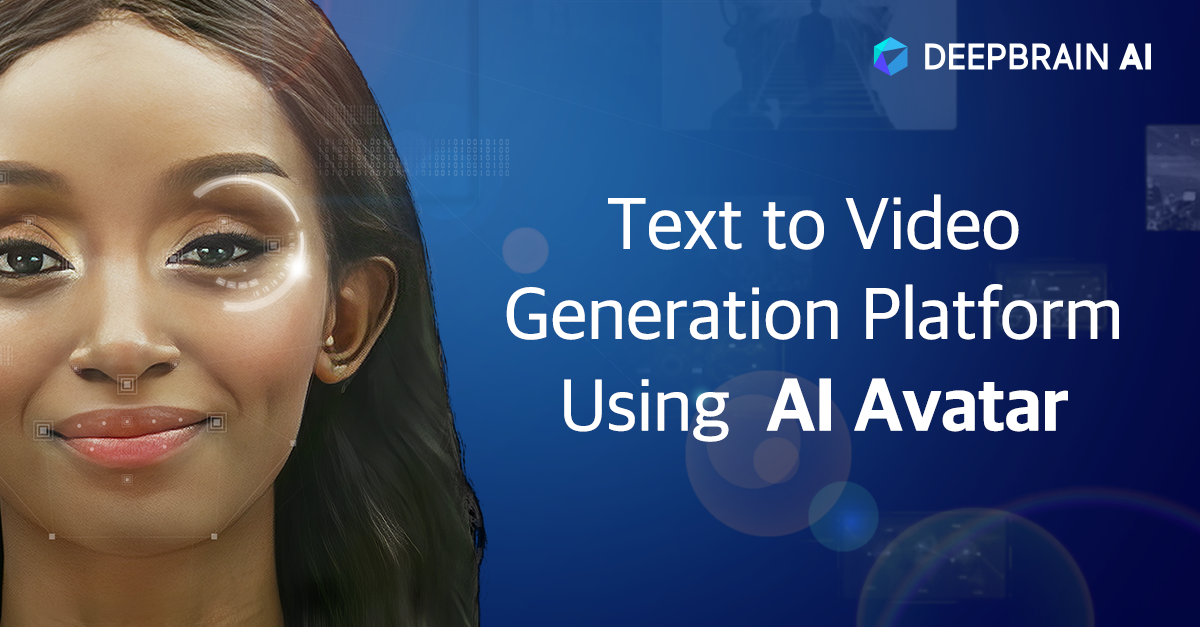
Deepbrain AI Studios stands out in the realm of AI video editing with its AI-driven video creation and editing capabilities. Utilizing deep learning and natural language processing (NLP), the platform can transform text into animated videos featuring hyper-realistic avatars. These avatars, numbering over 100, are modeled after real humans and support more than 80 languages. This cloud-based platform eliminates the need for physical production setups, allowing users to create videos without actors or studios. Automatic scene detection and enhancement further streamline the editing process, making it an efficient tool for both novice and professional users. Integration with AI Human allows for the creation of interactive video content, enhancing viewer engagement through expressive and lifelike presentations.
Pros
One of the most significant advantages of Deepbrain AI Studios is its user-friendly interface, which caters to users of all skill levels. The intuitive design ensures that even those with minimal experience in video editing can produce high-quality content. The platform's ability to deliver high-quality video output with minimal manual intervention is a major draw, as it saves time and resources. Additionally, Deepbrain AI Studios offers excellent customer support and tutorial resources, ensuring that users have access to the help they need when navigating the platform.
Cons
Despite its many strengths, Deepbrain AI Studios does have some limitations. The platform requires an internet connection for full functionality, which may not be ideal for users in areas with unreliable connectivity. Furthermore, while the platform offers a range of features, premium features are only available at higher pricing tiers, potentially limiting access for some users.
Functionality
Deepbrain AI Studios provides a comprehensive suite of AI tools for video editing and creation. Its capabilities include support for various video formats and resolutions, ensuring compatibility with a wide range of devices and platforms. The inclusion of real-time rendering significantly reduces production time, transforming what once took days into a matter of minutes. This functionality positions Deepbrain AI Studios as a cost-effective alternative to traditional video production methods, which often require extensive resources and time.
Ease of Use
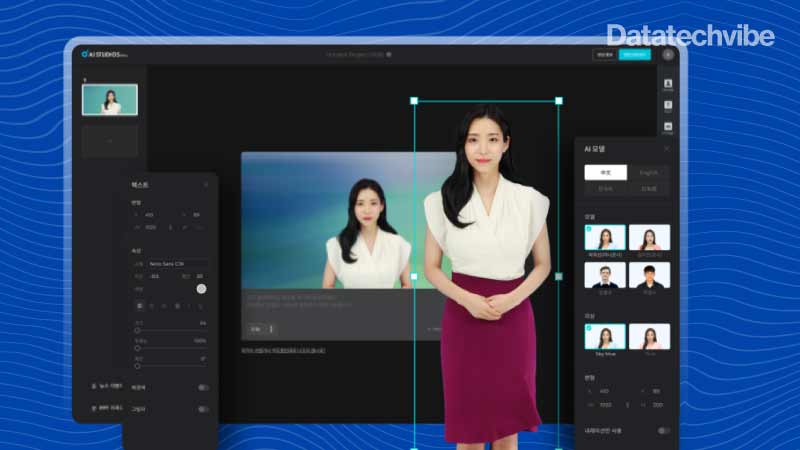
The platform's intuitive dashboard and easy-to-navigate menus make it accessible to users of all experience levels. Deepbrain AI Studios offers step-by-step guides and community support, which are invaluable for those new to AI-driven video editing. These resources help users quickly acclimate to the platform, enabling them to take full advantage of its capabilities without a steep learning curve.
Cost-Effectiveness
Deepbrain AI Studios is competitively priced, offering a range of subscription options to suit different budgets. The platform's cost-effectiveness is further enhanced by its ability to replace traditional video production crews, reducing overhead costs. Additionally, new users can take advantage of a free trial, allowing them to explore the platform's features before committing to a subscription.
Customer Support
Deepbrain AI Studios prides itself on its responsive support team, which is available 24/7 to assist users with any issues they may encounter. The platform also provides extensive online documentation and FAQs, ensuring that users have access to a wealth of information to help them troubleshoot and optimize their video production efforts. This commitment to customer support underscores Deepbrain AI Studios' dedication to providing a seamless user experience.
Overall, Deepbrain AI Studios is a powerful tool for those seeking to leverage AI technology in video production. Its combination of advanced features, ease of use, and cost-effectiveness makes it an attractive option for businesses and individuals alike. Whether you're creating corporate training videos, marketing content, or customer support responses, Deepbrain AI Studios offers the tools you need to produce high-quality, engaging video content efficiently.
CapCut: Versatile and Free AI Video Editor
Core Features
CapCut is a versatile video editing tool that offers a wide range of core features designed to enhance the editing experience for users of all skill levels. Among its standout features are:
- Background Removal: Effortlessly remove backgrounds from videos, allowing creators to focus on the subject without distractions.
- Transcription: Convert spoken content into text, making it easier to create subtitles and enhance accessibility.
- Color Correction: Automatically adjust color settings to achieve a professional look and feel.
- Free Access: CapCut provides free access to a comprehensive suite of editing tools, making it accessible to everyone.
Pros
CapCut's appeal lies in its ability to offer a robust editing platform without any associated costs. Here are some of the key advantages:
- Completely Free: CapCut is entirely free to use, with no hidden costs or subscription fees. This makes it an attractive option for creators on a budget.
- Versatile Toolset: The platform is equipped with a versatile range of tools that cater to both beginners and professionals alike. From simple edits to more complex enhancements, CapCut can handle it all.
Cons
While CapCut offers many benefits, there are a few drawbacks to consider:
- Limited Advanced Features: Compared to premium video editors, CapCut may lack some advanced features that professional users might require.
- Performance Issues: Users may experience occasional performance issues when working with large files, which can impact the editing process.
Functionality
CapCut's functionality is enhanced by its robust set of editing features, many of which are powered by AI:
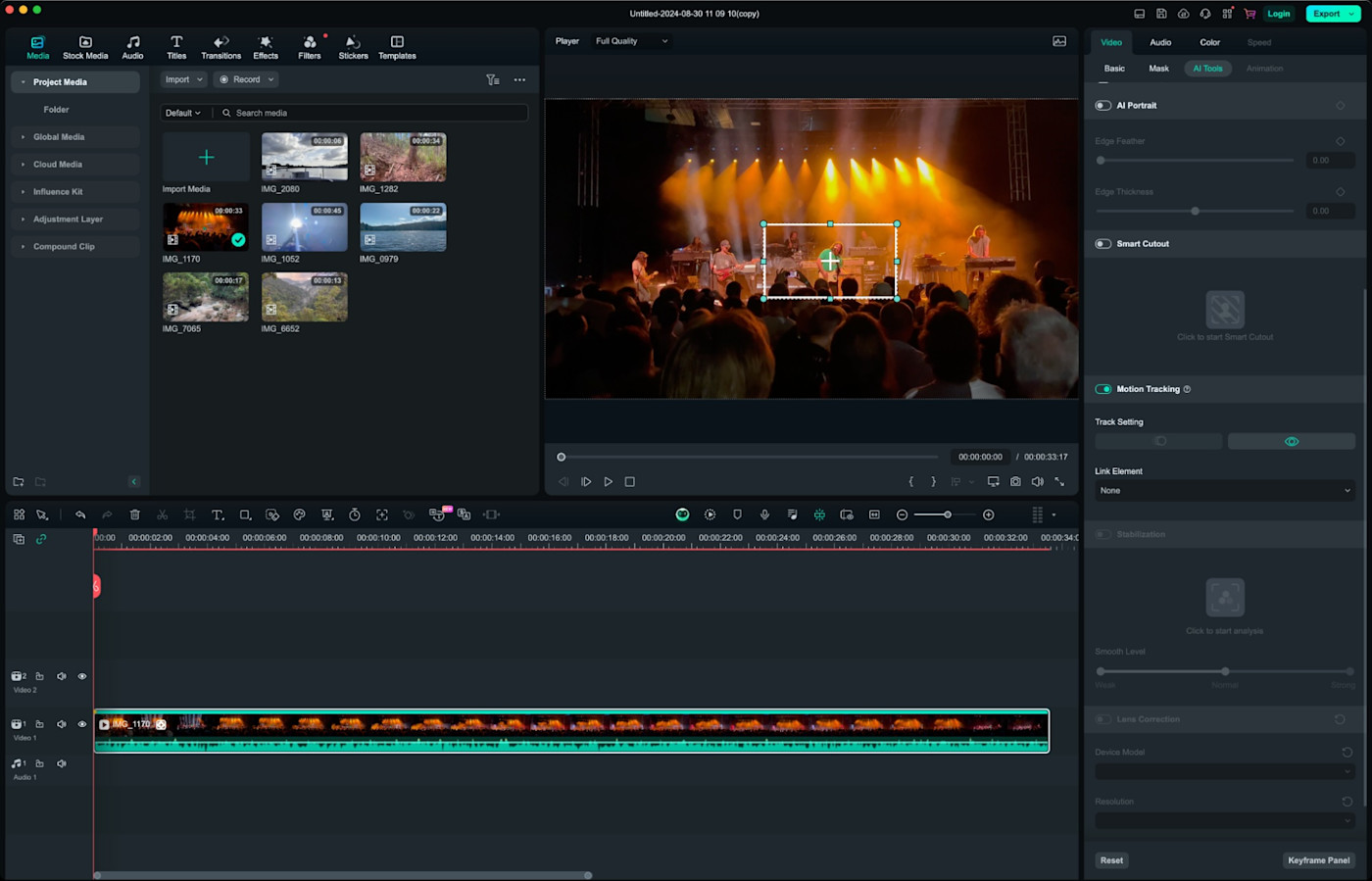
- AI Enhancements: Features like camera tracking, relighting, and noise reduction add cinematic depth and polish to videos. The June 2024 update introduced automatic lighting and color consistency across clips, further enhancing the quality of video production.
- Frequent Updates: CapCut is regularly updated with new tools and features, ensuring that users have access to the latest advancements in video editing technology.
Ease of Use
CapCut is designed with user-friendliness in mind, making it accessible to users of all experience levels:
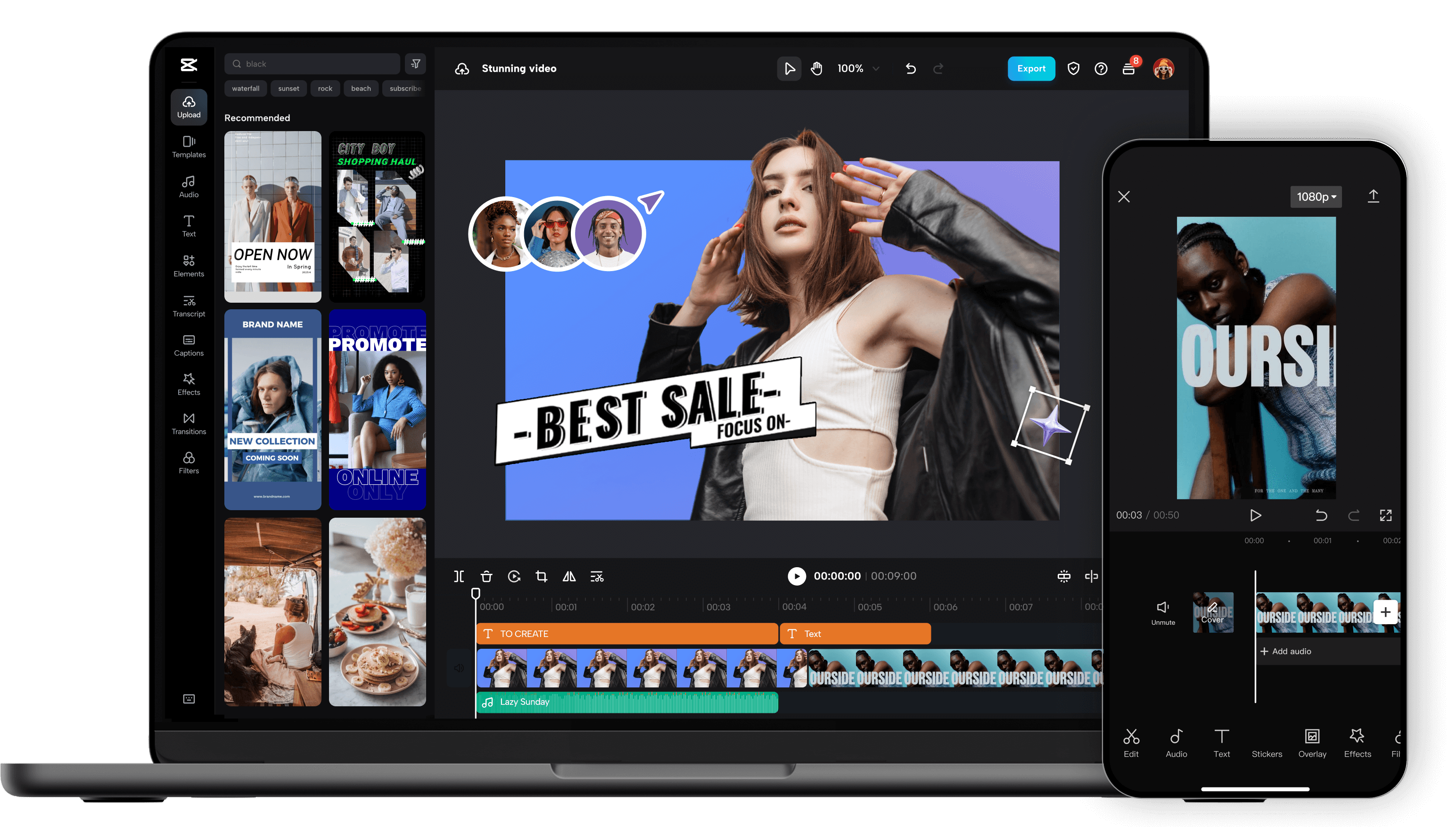
- Simple Interface: The platform features a straightforward interface with drag-and-drop functionality, allowing users to easily navigate and use the tools available.
- Tutorials and Community Forums: For those who need assistance, CapCut offers tutorials and access to community forums where users can share tips and solutions.
Cost-Effectiveness
One of CapCut's most appealing aspects is its cost-effectiveness:
- No Cost for Features: Both basic and advanced AI features are available at no cost, making CapCut an ideal choice for budget-conscious creators who need powerful editing capabilities without the financial burden.
- Ideal for Budget-Conscious Creators: With no financial barriers, CapCut is perfect for hobbyists, students, and small businesses looking to create professional-quality videos without a significant investment.
Customer Support
While CapCut offers extensive online resources, its direct customer support options are somewhat limited:
- Limited Direct Support: CapCut primarily relies on community forums for user support, which can be a drawback for those seeking immediate assistance.
- Comprehensive Online Resources: Despite the limited direct support, CapCut provides a wealth of online resources, including detailed guides and tutorials, to help users navigate any challenges they may encounter.
Build Your Own Creative Stock
CapCut empowers creators to build their own creative stock with minimal effort:
- AI Stickers and Text Templates: These tools allow users to add dynamic elements to their videos, ensuring unique and visually engaging content.
- Customization Tools: Creators can easily customize elements to suit their style, enhancing the overall visual appeal of their projects.
Simplify Talking Video Creation
CapCut simplifies the creation of talking videos with its innovative tools:
- Script-to-Video Conversion: Automates scene generation, making it easier to produce content based on scripts.
- AI Characters and Transcript-Based Editing: Enable precise control over narration, allowing for seamless integration of audio and visuals.
Broaden Your Audience Reach
CapCut helps creators expand their audience reach with its language and platform optimization features:
- Auto-Captions and Video Translation: Support for over 20 languages facilitates global audience engagement.
- AI Reframing: Optimizes content for multiple platforms, ensuring that videos are tailored to the specific requirements of each platform.
Topaz Video AI: Professional-Grade AI Video Editor
Core Features
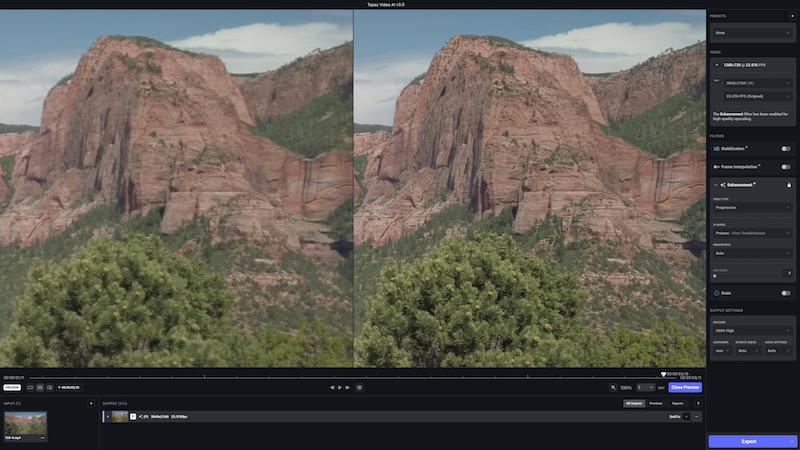
Topaz Video AI is a cutting-edge software solution offering a suite of advanced video enhancement capabilities. Among its core features are:
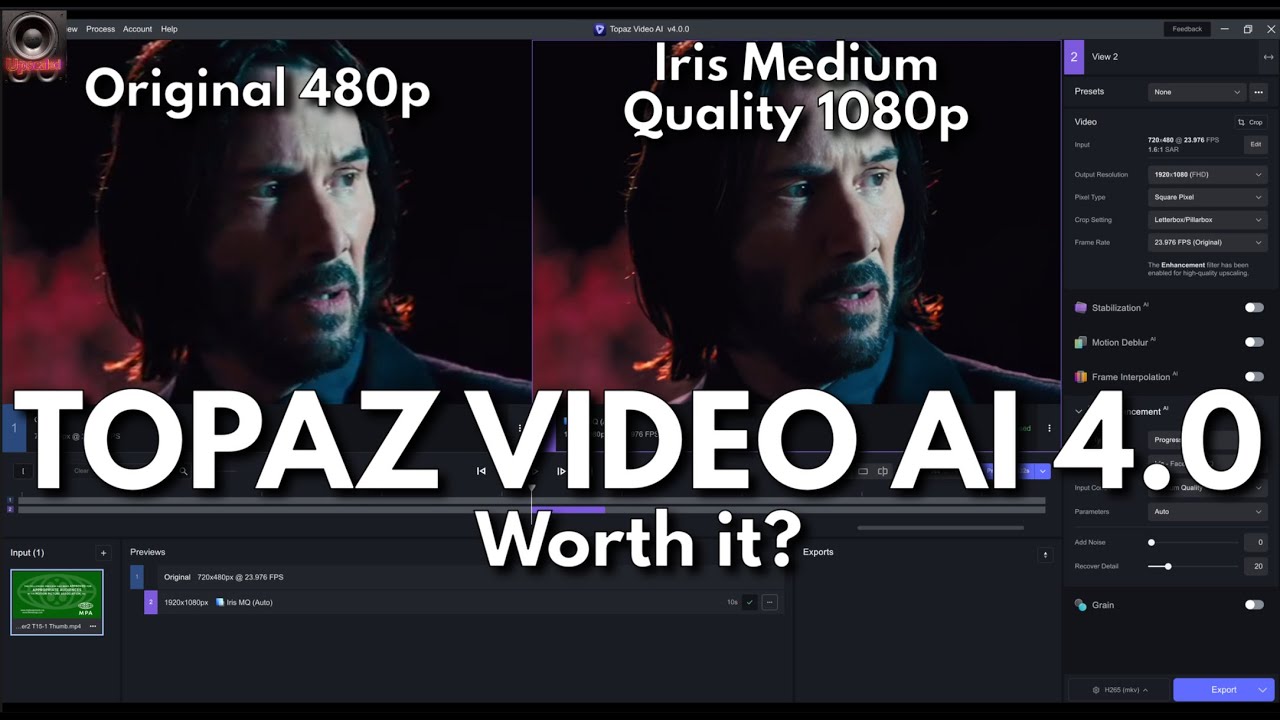
- Video Upscaling: Transform low-resolution footage into high-quality video with improved clarity and detail.
- Noise Reduction: Enhance video quality by minimizing unwanted noise.
- Frame Rate Enhancement: Enable smooth transitions from 24fps to 60fps or higher, beneficial for professional video editing.
- Ultra Steady: Offers smoother camera movements.
- SDR-to-HDR Conversion: Provides enhanced visual experiences.
Pros
Topaz Video AI offers several advantages that make it suitable for professional use:
- High-Quality Output: Renowned for producing professional-grade video quality with unbelievable improvements in clarity and detail.
- Extensive Customization: Offers extensive customization options with various AI models and enhancement filters for tailored results.
Cons
While Topaz Video AI is powerful, there are a few drawbacks to consider:
- Higher Price Point: Comes with a premium price reflecting its advanced capabilities and professional-grade output.
- Hardware Requirements: Requires powerful hardware for optimal performance, potentially necessitating investment in high-performance computers.
Functionality
Topaz Video AI focuses on enhancing video quality using AI technology. Its functionalities include:
- Wide Format Support: Supports a range of input and output formats for various editing needs.
- User-Friendly Interface: Includes presets for quick enhancements and options for trimming and cropping.
- Compatibility: Supports various encoders and containers for format compatibility.
Ease of Use
Topaz Video AI, while designed for advanced users, provides resources to ease the learning process:
- Guides and Tutorials: Offers detailed guides and tutorials to assist in navigating its complex interface.
- Knowledge Base and Community Support: Provides additional resources for learning and mastering the software's features.
Cost-Effectiveness
Topaz Video AI's pricing reflects its advanced capabilities, but it offers a trial version:
- Trial Version: Allows users to test features before purchase, providing an opportunity to evaluate its effectiveness.
Customer Support
Topaz Video AI ensures users receive prompt assistance through its support system:
- Dedicated Support Team: Offers fast response times to user inquiries.
- Rich Knowledge Base and Community Support: Provides access to a wealth of information and resources for troubleshooting and maximizing potential.
In summary, Topaz Video AI stands out as a professional-grade AI video editor with advanced features and capabilities. Its focus on enhancing video quality through AI technology, coupled with extensive customization options, makes it a powerful tool for professional video editing. While it may require a higher investment in terms of cost and hardware, its high-quality output and dedicated support make it a worthwhile choice for serious video editors.
Key Considerations When Choosing an AI Video Editor
Functionality and Features
When choosing an AI video editor, it's crucial to evaluate the specific tools and capabilities each editor offers. Here are some key features to consider:
- Automated Video Editing: Look for AI tools that can automatically cut and assemble video clips based on predefined criteria, significantly reducing editing time.
- Enhancing Video Quality: AI algorithms that improve video resolution and adjust color grading can give your videos a professional look.
- Scene Detection and Segmentation: AI can analyze video content to detect and segment different scenes, making navigation easier and more efficient.
- AI-Driven Content Analysis and Storyboarding: Some editors suggest storyboards and layouts that best tell your story, aiding in narrative flow.
- Customizable Templates and Styles: Templates for consistent branding across videos can be a valuable asset.
Consider the types of projects you plan to work on and choose an editor that aligns with your needs. AI video editing tools are popular for their ability to automate tasks while enhancing video quality, but remember that they are not substitutes for human creativity.
Ease of Use
Ease of use is another critical factor. Look for editors with user-friendly interfaces and supportive resources:
- User-Friendly Interface: A simple and intuitive design is essential for efficient editing, particularly for beginners.
- Logical Organization: Features should be easy to find and apply, reducing the learning curve.
- Accessibility: The design should allow you to focus on creativity rather than navigation.
An intuitive interface can help new users start editing videos quickly without extensive training. Simplicity is key to reducing the learning curve and increasing productivity.
Cost-Effectiveness
Compare pricing models and available features to determine cost-effectiveness:
- Pricing Models: Evaluate different pricing plans and what features they include.
- Long-Term Value: Consider the long-term value versus the initial cost. Some tools may be more costly upfront but offer more features and better support.
Customer Support and Resources
Assess the availability and quality of customer support:
- Customer Support: Check if there is reliable customer support available when you need it.
- Community Forums and Online Documentation: Look for active community forums and comprehensive online documentation to help you troubleshoot and learn.
Having access to quality support and resources can make a significant difference in your editing experience. Always balance automation with human judgment to ensure the final product meets your creative and quality standards.

Conclusion
Picture this: you're about to create a masterpiece, but which AI video editor is your perfect partner? Choosing the right one boils down to knowing what you need and what each tool brings to the table. Are you intrigued by Deepbrain AI Studios' smooth AI Human integration for interactive content? Or does CapCut's free and flexible nature catch your eye? There's something for every creator out there.
If you're chasing professional-grade magic, Topaz Video AI is your go-to with its top-notch video quality and advanced tweaks. So, how do you decide? Consider functionality, ease of use, cost, and support. The right pick can take your video projects to the next level. Ready to dive in? Embrace AI video editing and bring your creative dreams to life.





