


AI is changing how we create and see images. But how do you tell an AI what you want it to make? That's where writing AI image prompts comes in. Did you know the AI art market might hit $2.6 billion by 2026? This shows why it's important to get good at writing these prompts. Whether you're a designer or just curious about AI, knowing how to guide AI in making images can open up tons of creative options. In this piece, we'll explore the ins and outs of AI image prompts. You'll get a step-by-step guide, advanced tips, and some useful examples and templates. Ready to boost your AI art skills? Let's get going!
Understanding AI Image Prompts
Defining AI Image Prompts
AI image prompts serve as instructions for AI models to generate images. These prompts can be:
- Text-based: Descriptions of the desired image.
- Image-based: Example pictures to guide the creation.
Effective prompts are clear and detailed, specifying elements like:
- Subject
- Setting
- Lighting
- Colors
- Mood
This specificity helps in crafting the desired image. It's important to note that different AI models may produce varying results even with the same prompt, due to differences in training data and algorithms. For more information, you can check out Let's Enhance.
Exploring AI Models for Image Generation
Several AI models specialize in image creation, each with unique features:
DALL-E Image Generation
Developed by OpenAI, DALL-E excels at generating images from detailed captions and can even extend existing images.

Creative Image Models: Midjourney, SDXL, SD3, and Flux
These models offer distinct approaches to prompts, providing a variety of creative possibilities.
Enhancing Images with Stable Diffusion
Stable Diffusion allows for adjustments in settings and the use of negative prompts to enhance image quality, offering greater control over the final output.
Step-by-Step Guide to Writing AI Image Prompts
Define Subject for AI Image Prompts
Specify the Main Subject with Precision
When setting up an AI image prompt, begin by defining the subject of your image with precision. Use simple, direct words to articulate exactly what you want the AI to create. For instance, if you're envisioning a "golden retriever puppy," state that explicitly instead of using vague terms like "dog" or "animal." Being specific helps the AI focus on the right details. According to CNET, using clear language is crucial. Stick to concrete nouns such as "human," "cup," or "dog," as advised by Let's Enhance.
- Use tools like the text input field in an AI image generator.
To define your subject, type it into the text input field of the AI image generator. This is your primary means of communicating with the AI, so the more detailed you are, the better the AI can meet your expectations.
Specify Image Style for AI Image Prompts
State the Desired Aesthetic or Artistic Approach
After establishing the subject, consider the image style you desire. This can range from realistic to abstract or even a specific art style like impressionism or cyberpunk. Clearly stating your style preference assists the AI in aligning its output with your vision. For example, specify "watercolor painting" or "cyberpunk digital art" to guide the AI. CNET recommends being specific about the style, such as "photorealistic" or "steampunk." Mentioning famous artists or styles can also infuse that influence into the image, as noted by Let's Enhance.
- Specify artistic styles or mention the type of image using the text input field.
In the text input field, you can mention specific art movements or styles like "Renaissance" or "Surrealism," or opt for modern styles such as "minimalist" or "3D rendering." This helps the AI understand the visual language you're targeting, enhancing the image's cohesiveness and appeal.
Enhance AI Image Prompts with Details
Add Descriptive Details About the Scene
To enrich your image, include details about the scene. Consider aspects like setting, mood, lighting, colors, and any actions occurring. For a serene landscape, you might describe "a tranquil lake at sunset with soft pastel hues." These details help the AI capture the scene's nuances, making the image more vivid. Let's Enhance emphasizes the importance of adding such details. Use action verbs to convey movement, as suggested by Shopify. Including specific colors and textures can enhance realism, as Typeface recommends.
- Utilize action verbs and descriptive adjectives in the text input field.
Use action verbs and descriptive adjectives to make your prompt dynamic and clear. Words like "glowing," "rustic," or "bustling" enhance the image's story. Action verbs such as "soaring" or "whispering" suggest movement or emotion, adding depth to the visual narrative.
Use Negative Prompts in AI Image Prompts
Specify Unwanted Elements in the Image
Negative prompts can help refine your image by specifying what you don't want. For instance, if you desire a minimalist design, you might say "no clutter" or "avoid busy patterns." This helps the AI focus on your vision without distractions. Shopify suggests using phrases like "no submarines." However, be cautious, as AI might misinterpret them, as warned by CNET.
Optimize AI Image Prompts Structure
Ensure Clarity and Precision in Your Prompt
A well-structured prompt is essential for effective communication with the AI. Ensure your prompt is clear and concise, avoiding unnecessary complexity. Use descriptive words to convey your vision precisely. Instead of saying "make it nice," opt for "create a harmonious blend of warm and cool tones." This detail helps the AI understand and execute your vision accurately. Let's Enhance emphasizes the importance of clarity and conciseness. Avoid vague language and use prompt editing tools to refine your input, as suggested by CNET.
- Avoid vague language and use prompt editing tools to refine your input.
Vague language can lead to poor results, as the AI might not grasp your intent. Avoid terms like "something interesting." Use prompt editing tools, if available, to refine your input. These tools offer suggestions to enhance clarity, increasing your chances of success.
Submit and Review AI Image Prompts
Enter and Evaluate the Prompt Output
Once your prompt is prepared, enter it into the AI image generator. After submission, review the resulting image to assess how well it aligns with your expectations. Check for consistency with the subject, style, and details you provided. This review helps identify discrepancies or areas for improvement, as CNET suggests. If necessary, adjust and refine the prompt, repeating steps as needed.
- Adjust and refine the prompt if needed, repeating previous steps as necessary.
If the output doesn't meet your expectations, adjust and refine your prompt. Revisit previous steps to determine where more clarity or detail is required. You might need to specify more elements, tweak the style, or add more descriptive language. Iterating on your prompt allows you to fine-tune the image to match your vision.
Step 1: Define the Subject for AI Image Prompts
Start by defining the subject with precision. Identify the main focus of your image and articulate it clearly in the text input field. For example, if your subject is a "majestic mountain range," specify this directly. Clarity here sets the stage for everything else. Use clear subjects like "a cat" or "a futuristic cityscape," and stick to concrete nouns for clarity, as advised by Let's Enhance.
Step 2: Add Context and Details to AI Image Prompts
After defining the subject, add context and details to enrich the image. Specify the environment, weather, time of day, and other factors. You might describe "a snow-capped mountain range under a clear blue sky at dawn." These details give the AI a full understanding of the scene, enhancing depth and realism. Add context by describing actions and moods, and use descriptive adjectives to boost complexity, as recommended by Let's Enhance.
Step 3: Specify Style for AI Image Prompts
Next, specify the style and artistic elements you want. Choose an art style like "impressionist" or a medium like "charcoal sketch." By stating these preferences, you guide the AI in using the right techniques, ensuring the image fits your artistic vision. CNET suggests specifying styles like "impressionist" or "futuristic." Mention mediums or techniques like "oil painting" or "3D rendering," as recommended by Zapier.
Step 4: Use Descriptive Language in AI Image Prompts
Clear, descriptive language is key in crafting an effective AI image prompt. Use vivid adjectives and precise verbs to convey mood, atmosphere, and actions. Instead of "a nice landscape," describe "a vibrant, sunlit meadow teeming with wildflowers swaying gently." This detail helps the AI capture the scene's essence. Write in plain language to assist the AI in understanding your vision, and use adjectives like "vibrant" or "mystical" to set the tone, as advised by Let's Enhance and Typeface.
Step 5: Implement Negative Prompts in AI Image Prompts
Negative prompts can refine your image by specifying what you don't want. This is useful for eliminating unwanted elements. If you want a serene landscape, say "no urban structures" or "avoid harsh shadows." Negative prompts help the AI focus on desired elements, improving coherence and quality. Use phrases like "no cars" to exclude elements, but be cautious, as they can be misinterpreted, as noted by Shopify and CNET.
Step 6: Iterate and Experiment with AI Image Prompts
Finally, encourage iteration and experimentation for the best results. After reviewing the initial output, be open to refining your prompt. Experiment with styles, details, and negative prompts to explore possibilities. This process lets you discover new directions and optimize the image to match your vision. Embrace this flexibility, as it's key to mastering AI image prompts. Refine prompts based on output and experiment with styles to explore new ideas, as recommended by Typeface and Shopify.
Advanced Techniques for Writing AI Image Prompts
Enhance AI Image Prompts with Action Verbs
Incorporating action verbs into your AI image prompts can significantly enhance the dynamism of the images you receive. These verbs illustrate what the subject is doing, assisting the AI in better understanding the scene.
- Instead of a static description like "a cat," opt for "a cat running across the floor."
This addition of movement and purpose creates a more captivating image. Verbs such as "leaping," "dancing," or "gliding" inject energy into the picture, guiding the AI to produce more vivid and engaging results.
For additional tips, explore CNET and Stockimg.ai.
Psychology of Visual Creativity in AI Image Prompts
Understanding the psychology of visual creativity can enhance the effectiveness of your AI image prompts by evoking emotions and moods.
- Descriptive terms like "vibrant colors" or "soft lighting" guide the AI's creative process.
Utilizing language that appeals to the senses enables the AI to generate more visually creative images. For instance, "a serene sunset with soft, pastel hues" can ignite the viewer's imagination, fostering a deeper connection.

To explore this further, visit Stockimg.ai and CNET.
Avoid Common Mistakes in AI Image Prompts
A frequent mistake in AI image prompts is the use of vague or abstract subjects.
- Concrete nouns yield the best results.
- Avoid prompts with exclusionary traits, as the AI might overlook them.
For example, describing "a nice landscape" is too ambiguous and may result in lackluster images. Instead, provide clear, detailed descriptions. If the image doesn't meet your expectations, adjust the prompt by simplifying or rephrasing it to emphasize key elements. For more guidance, refer to Let's Enhance and CNET.
AI Image Prompt Examples and Templates
Crafting Effective AI Image Prompts
Crafting successful AI image prompts involves clearly defining the image's subject, background, and style. This approach is essential for creating marketing visuals that truly stand out. Whether you aim for a cartoonish look or prefer something photorealistic, setting the style and quality is key to achieving the desired visuals.
Adding context to your prompts ensures they align with the story or theme you are targeting.
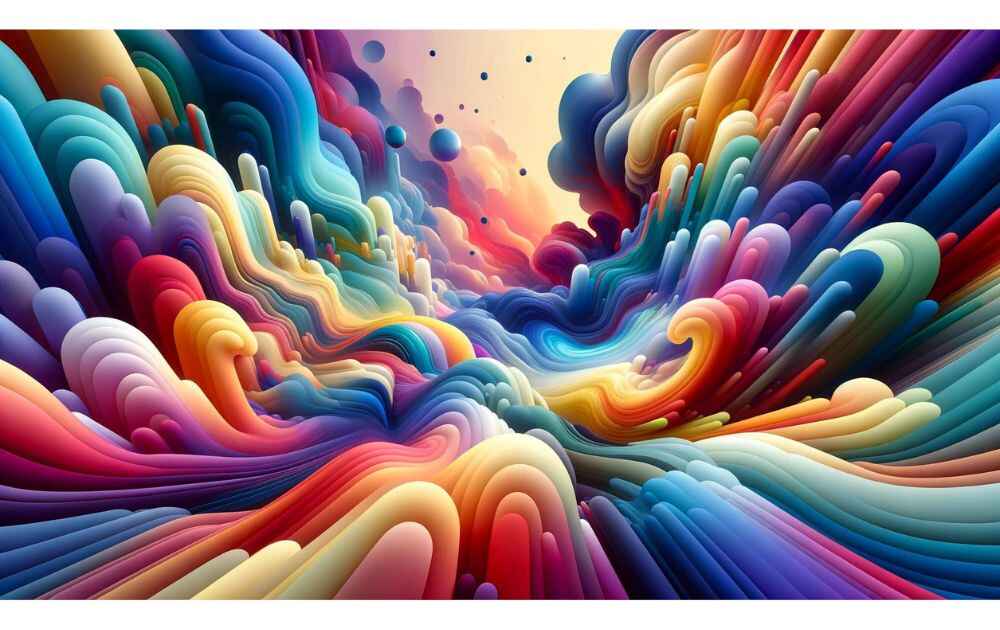
Moreover, using templates can streamline the process. Templates allow you to adjust subjects, styles, and backgrounds efficiently, facilitating the generation of effective images.
FAQ Section
1. Advanced Techniques for AI Image Prompts
To enhance your AI image prompts, consider the following advanced techniques:
- Image-to-Image Prompting: Start with an existing image to inspire the AI model. This can lead to more accurate and contextually relevant results.
- AI Outpainting: Extend an image beyond its original borders to expand creative possibilities.
- Reverse Engineering Real Images: Create text prompts from real images and tweak them for improved outcomes.
- Experiment with Generation Settings: Adjust settings such as the number of steps to achieve more detailed and polished images.

2. Incorporating Negative Prompts in AI Image Prompts
Negative prompts refine AI-generated images by excluding unwanted elements. Here’s how to use them effectively:
- Use Sparingly: In models like Stable Diffusion, keep it simple by primarily using positive instructions.
- Exclude Specific Elements: Apply negative prompts only when necessary to omit specific details, helping the AI focus on desired aspects.
3. Best Practices for Artistic Styles in AI Image Prompts
To specify artistic styles in AI image prompts, follow these best practices:
- Be Explicit: Clearly state the desired style, such as "oil painting" or "photorealistic," to guide the AI effectively.
- Reference Artists or Artworks: Mention specific artists, like "in the style of Van Gogh," to evoke a particular aesthetic.
- Utilize Descriptive Language: Use descriptive language to set the mood and feel, ensuring the final image aligns with your vision.





